


Getting started with Amazon Vine Login can seem confusing, especially if you’ve never used the Vine portal before. Unlike a regular shopping account, Amazon Vine uses invitation-based access for selected Vine Voices who review products and share genuine experiences. Once invited, you can enter the Amazon Vine dashboard to explore available products, manage requests, and track review deadlines.
Sellers use Vine differently, enrolling eligible products to gather authentic customer feedback. This guide explains how Vine access works, who can participate, what the membership tiers mean, and how seller fees and taxes fit in. You’ll also learn practical ways to fix common login issues and manage your Vine account with confidence.
What Is Amazon Vine and How Does It Work?
Amazon Vine is an invitation-only program built around trusted customer feedback. Amazon invites selected reviewers called Vine Voices to test eligible products. These reviewers receive products at no purchase price and then publish honest opinions. Amazon says Voices are selected based on the insightfulness of their published reviews.
The process works like a bridge between Amazon sellers and Amazon reviewers. A seller enrolls an eligible product. An invited reviewer sees it among available choices. The reviewer requests it, receives it, tests it, and submits a review. This creates candid reviews that can help shoppers judge unfamiliar products.
How Does the Amazon Vine Login Portal Work?
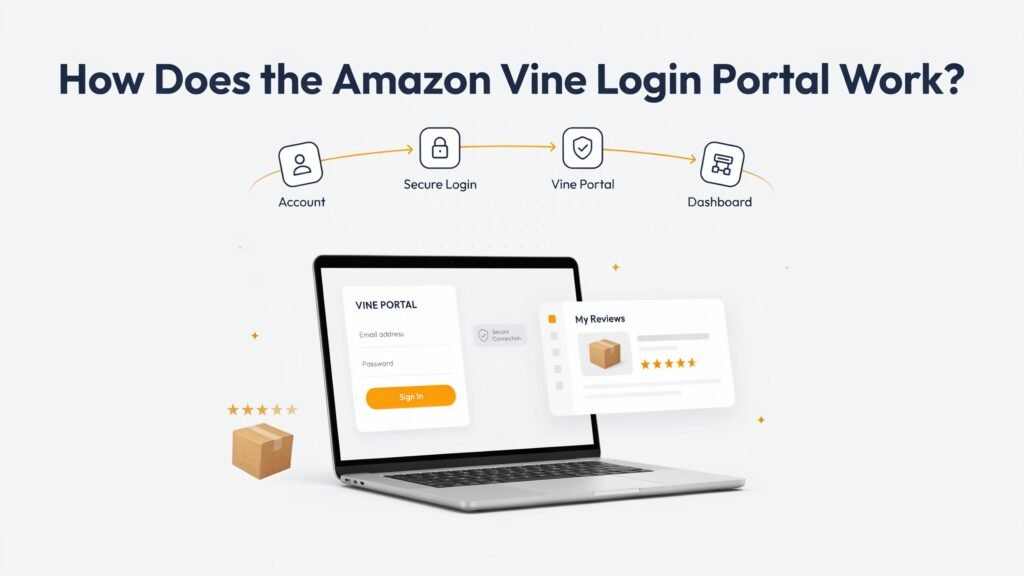
The Amazon Vine portal doesn’t function like an ordinary public membership website. Vine uses invitation-based access, which means an Amazon account can exist without having Vine privileges. Your Amazon account and standard Amazon credentials remain important because authentication still depends on your Amazon identity.
After Amazon grants access, your Vine portal access connects to the appropriate account. An active invitation matters more than simply knowing the login address. If Amazon has not enabled Vine for your account, repeated attempts usually won’t create access. Think of the portal as a locked room inside Amazon rather than another public storefront.
How to Access Your Amazon Vine Dashboard
Start with the Amazon account associated with your invitation. Then authenticate normally and open the Vine area available to your account. Your Amazon Vine dashboard should present the information Amazon has enabled for your participation. A dedicated invitation link may also appear in communications sent to invited reviewers.
Once inside, look for available products, requested items, and review obligations. Your product dashboard can change as Amazon updates the service. Don’t assume every reviewer sees identical menus. Account status, marketplace, program rules, and interface changes can affect what appears on your screen.
Read Also: The Importance of Office site in Modern Online Platforms
Who Is Eligible for Amazon Vine?
Amazon does not treat Vine like a normal application anyone can submit. Amazon Vine eligibility depends on Amazon’s selection process for reviewers. Amazon says Vine Voices are selected based on the insightfulness of reviews they have published. It also connects sellers with reviewers who have relevant purchase history and category expertise.
For sellers, the rules differ. Current Amazon guidance says eligible sellers need a Professional selling account plus an appropriate brand role within Brand Registry, or qualifying generic products. They also need eligible FBA offers. Product eligibility adds further conditions, including listing quality and category restrictions.
Amazon Vine Membership Tiers Explained
The phrase Amazon Vine membership tiers can create confusion because reviewer tiers and seller enrollment tiers aren’t the same thing. Amazon Vine Silver tier and Amazon Vine Gold tier are terms associated with reviewer participation, while Amazon publicly documents seller enrollment tiers separately. Your Vine account should therefore remain the final source for reviewer-specific requirements.
For sellers, the current fee structure has three enrollment levels. The free level covers up to two units. The middle level covers three through ten units. The highest level covers eleven through thirty units. Amazon currently lists fees of $0, $75, and $200 for those levels.
| Seller enrollment level | Units per parent product | Current enrollment cost | Potential Vine reviews |
|---|---|---|---|
| Free tier | Up to 2 | $0 | Up to 2 |
| Middle tier | 3–10 | $75 | Up to 10 |
| Highest tier | 11–30 | $200 | Up to 30 |
What Is the Amazon Vine Review Insightfulness Score?
The Review Insightfulness Score matters because Amazon says reviewer selection focuses on how insightful published reviews are. However, readers should separate verified Amazon statements from claims circulating in reviewer communities. Amazon doesn’t publicly document every internal scoring signal or guarantee that a particular score produces an invitation or tier.
Strong reviews usually explain what happened after real product use. Detailed feedback gives context, strengths, weaknesses, and practical observations. Helpful votes can indicate that shoppers found feedback useful, but they shouldn’t become the reviewer’s only goal. A useful review reads like guidance from an experienced customer.
How Can You Become an Amazon Vine Voice?
There isn’t a normal public application form that guarantees entry. Amazon Vine invitation decisions come from Amazon. The company says Vine Voices are invited reviewers selected for the insightfulness of their Amazon reviews. That makes reviewer selection different from signing up for a conventional rewards program.
Your controllable factors are simpler. Write genuine reviews when you have meaningful experience. Explain what worked and what didn’t. Avoid artificial praise. Maintain a useful review history and follow Amazon’s rules. Consistent shopping activity can provide experience across categories, but no strategy can promise an invitation.
Amazon Vine Seller Enrollment and Fees
For sellers, Amazon Vine enrollment begins inside Seller Central. Amazon currently requires a Professional selling account and eligible brand access through Brand Registry, unless the seller qualifies through its generic-product route. Eligible inventory must also use FBA. Amazon then lets sellers locate qualifying ASINs inside the Vine workflow.
The current Amazon Vine seller fees depend on how many units a seller enrolls for each parent product. Amazon lists $0 for up to two units, $75 for three to ten, and $200 for eleven to thirty. These Vine enrollment fees are tied to the parent product rather than charged separately for every child product.
| Requirement | Current Amazon guidance |
|---|---|
| Selling plan | Professional |
| Brand route | Brand Registry role, where applicable |
| Fulfillment | FBA |
| Existing product reviews | Fewer than 30 |
| Listing | Image and description |
| Maximum enrolled units | 30 |
| Adult products | Not eligible |
| Digital products | Not eligible |
| Bundled products | Not eligible |
Amazon also says sellers aren’t billed until after enrollment and the first review is published. Its current page states that the charge occurs 30 days after enrollment and after the first review is published. If no Vine review arrives within 90 days of enrollment, Amazon says the seller isn’t charged.
Amazon Vine Dashboard: Key Sections and Features
For reviewers, Vine dashboard sections generally revolve around discovering products, managing requested items, and handling reviews. You may see Amazon Vine product listings that fit your account. The exact interface can change, so treat labels as functional descriptions rather than permanent menu names.
For sellers, the dashboard has a different job. Amazon says sellers can monitor enrollment status, claimed quantity, and the number of reviews left. That makes the dashboard useful for campaign tracking. It also helps sellers understand whether enrolled inventory is actually producing customer feedback.
Amazon Vine Costs, Taxes, and Product Value
For reviewers, products may arrive without a normal purchase price. However, “free” doesn’t necessarily mean tax-free. Amazon explicitly states that Vine Voices are responsible for income tax on products received. The Amazon Vine product value therefore matters when you decide whether an expensive item is genuinely worthwhile.
In the U.S., Amazon Vine tax treatment deserves careful attention. The taxable amount can relate to the product’s reported value rather than the cash you received. Your tax obligations depend on your circumstances and applicable tax rules. Amazon’s tax information should be checked alongside advice from a qualified tax professional.
The commonly discussed Amazon Vine 1099-NEC issue also needs care. Amazon has issued 1099-NEC forms to Vine participants, but reporting requirements and thresholds can change. Don’t assume an absent form means no taxable income. The IRS rules and your actual Amazon tax documents should control your filing decision.
Read Also: Why bakeries need a PoS machine for smoother counter billing
Amazon Vine Login Not Working? 7 Troubleshooting Fixes
When Amazon Vine troubleshooting starts, check the simple causes first. Verify the Amazon account connected with your invitation. Then check your login credentials and authentication method. If you recently changed account details, make sure you’re not accidentally using a different Amazon identity.
Browser problems can also interfere with access. Clear the browser cache and cookies if the page behaves strangely. Try an incognito window or another browser. A desktop version can be easier when the mobile layout breaks. If repeated attempts trigger an account lock, stop guessing passwords and use Amazon’s normal recovery process.
| Problem | Practical response |
|---|---|
| Wrong account | Use the invited Amazon account |
| Password issue | Complete a password reset |
| Verification problem | Recheck two-step verification |
| Stuck page | Clear browser cache |
| Session problem | Try an incognito window |
| Mobile display issue | Try the desktop version |
| Missing Vine access | Verify invitation and account status |
Security matters too. Keep two-factor authentication enabled when possible. A reputable password manager can reduce repeated login mistakes. Never give your password or verification code to someone claiming they can “activate” Vine for you. Genuine Amazon support won’t need your secret authentication code.
What to Do After You Log In to Amazon Vine
Once access works, resist the temptation to request everything interesting. Start by reading the product information and checking your existing obligations. Your Amazon Vine product requests should match products you can genuinely test. Otherwise, the growing review queue can become a small mountain surprisingly fast.
Pay attention to review status and deadlines. Check product specifications before requesting something expensive or unsuitable. Keep records when useful, especially for high-value items. A disciplined routine makes Vine review submission easier because you won’t discover forgotten products weeks later.
Amazon Vine Review Rules and Deadlines
A good Vine review should reflect genuine product use. Amazon describes Vine reviews as honest and unbiased opinions. That means sellers shouldn’t dictate the wording, and reviewers shouldn’t promise favorable ratings. The goal is useful information rather than promotional copy.
Your Amazon Vine review completion rate can matter to continued participation, but don’t rely on outdated numbers from old guides. Amazon can change participation standards. Likewise, a Amazon Vine review deadline may depend on current program rules and account notices. If you face late submissions or missed reviews, check your live Vine account for the applicable requirements.
Read Also: Ultimate Tozymagazine.com USA Guide: 12 Key Insights
Frequently Asked Questions About Amazon Vine Login
The questions below address the most common access and participation concerns. They also clarify several points that competitor articles often oversimplify. Because Amazon can change Vine rules, your account notices and current Amazon documentation should take priority over older screenshots or forum posts.
Does Amazon Vine Require a Separate Login or Password?
No separate consumer password is normally needed simply because you’re using Vine. Your Amazon identity provides the authentication layer. However, Vine account access is separate from ordinary shopping privileges. Having an Amazon account doesn’t automatically provide Vine portal access without the appropriate invitation or participation status.
How Do I Get Invited to Amazon Vine?
Amazon controls the Amazon Vine invitation process. Its current seller-facing explanation says Vine Voices are invited and selected based on the insightfulness of reviews published in the Amazon store. Therefore, there isn’t a reliable public application shortcut that guarantees entry.
Can Sellers Remove or Edit Amazon Vine Reviews?
Sellers shouldn’t treat Vine as a review-editing service. The purpose is independent customer feedback. Amazon also says review display can depend on multiple quality and insightfulness factors. Sellers should focus on accurate listings and products rather than attempting to manipulate Vine reviews.
What Happens If I Miss an Amazon Vine Review Deadline?
Missing obligations can affect your participation, especially if missed reviews become a pattern. However, don’t rely on a fixed claim such as automatic program removal after one missed review. Amazon’s current account rules matter more than old articles. Check your dashboard before making further product requests.
Are Amazon Vine Products Taxable Income?
Amazon explicitly warns that Vine Voices are responsible for income tax on products they receive. That makes Amazon Vine taxable income an important planning issue. The precise reporting treatment can depend on your circumstances. A U.S. tax professional can help determine how your Vine activity should appear on your return.
How Much Does Amazon Vine Cost for Sellers?
Current Amazon information lists three seller enrollment levels. Up to two units cost $0. Three through ten units cost $75. Eleven through thirty units cost $200. Amazon also says sellers aren’t charged if no Vine review arrives within 90 days of enrollment.
Final Thoughts on Amazon Vine Login
The smartest way to approach Amazon Vine Login is to understand that access is only the doorway. The real program involves eligibility, product choices, review quality, deadlines, seller enrollment, and tax consequences. Once those pieces make sense, the portal becomes much less mysterious.
For reviewers, thoughtful participation matters more than chasing every shiny product. For sellers, eligibility and enrollment economics deserve equal attention. Amazon’s current Vine documentation is the safest reference when rules change.
Official Amazon Resources
For current seller requirements, fees, product eligibility, and the enrollment workflow, consult Amazon’s official Amazon Vine page.
For seller-side access, enrollment, and account management, use Amazon Seller Central.
For brand requirements, consult Amazon Brand Registry.
For U.S. tax filing questions, use the IRS official website rather than relying on third-party Vine tax calculators.

Welcome to VoxScroll! I’m an AI-Powered SEO Expert, and Content Writer with 3 years of experience.
I help websites rank higher, grow traffic, and look amazing. My goal is to make SEO and Web design Simple and effective for everyone.
Let’s Achive more together!